
Chrome extension
Temp Mail Chrome Extension
Fake Email Generator puts a temporary inbox in your toolbar: create a disposable address, drop it into any sign-up form with one click and read the replies without leaving the page.
What the extension does
A temporary inbox in the toolbar
Click the icon to get a disposable address, copy it and read incoming messages in the popup – the same mailboxes as on fake-email.pro.
Autofill on any site
An envelope icon appears inside email fields. One click puts the address of your current mailbox in, so a sign-up takes seconds.
Unread badge
New messages show as a count on the extension icon, so you know a confirmation email has arrived without opening anything.
In sync with the site
The popup and fake-email.pro share one account and one current mailbox: switch it in either place and the other follows.
How to install it
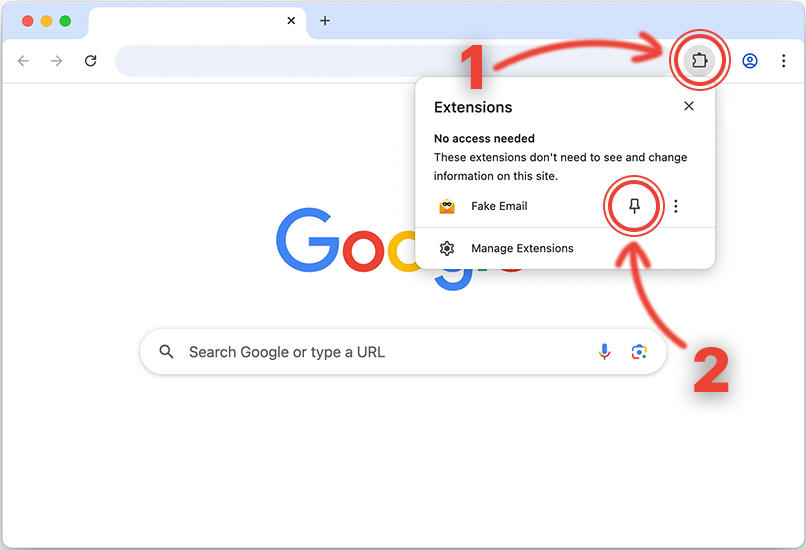
1. Install the extension and pin it to the toolbar
Open the Chrome Web Store listing, click «Add to Chrome», then pin Fake Email in the extensions menu so the icon stays visible.
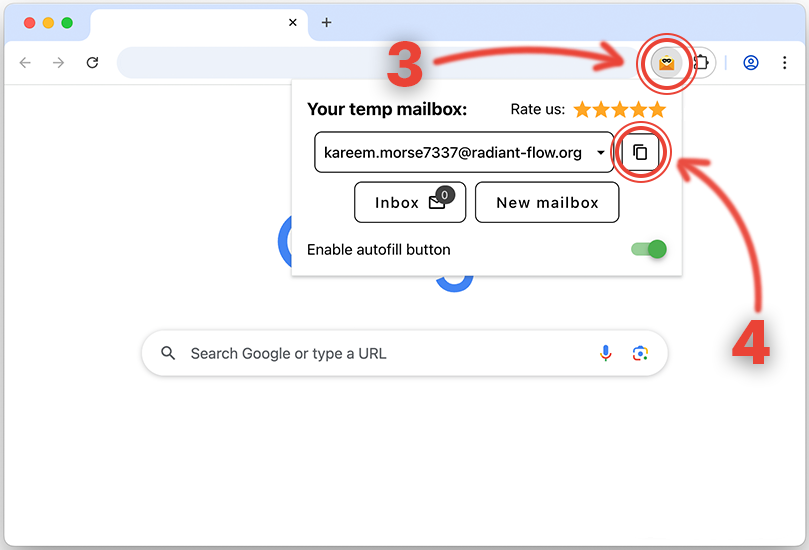
2. Click the icon to open your temporary address
The popup shows the current mailbox. Copy the address, or let autofill put it into the form for you.
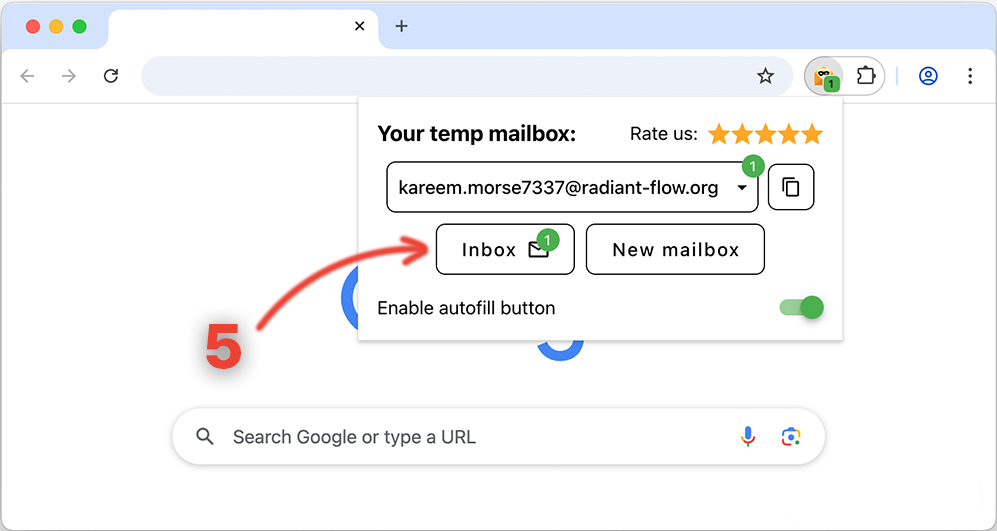
3. Use the address and wait for the reply
When a message arrives, the icon shows a badge. Click Inbox in the popup to read it.
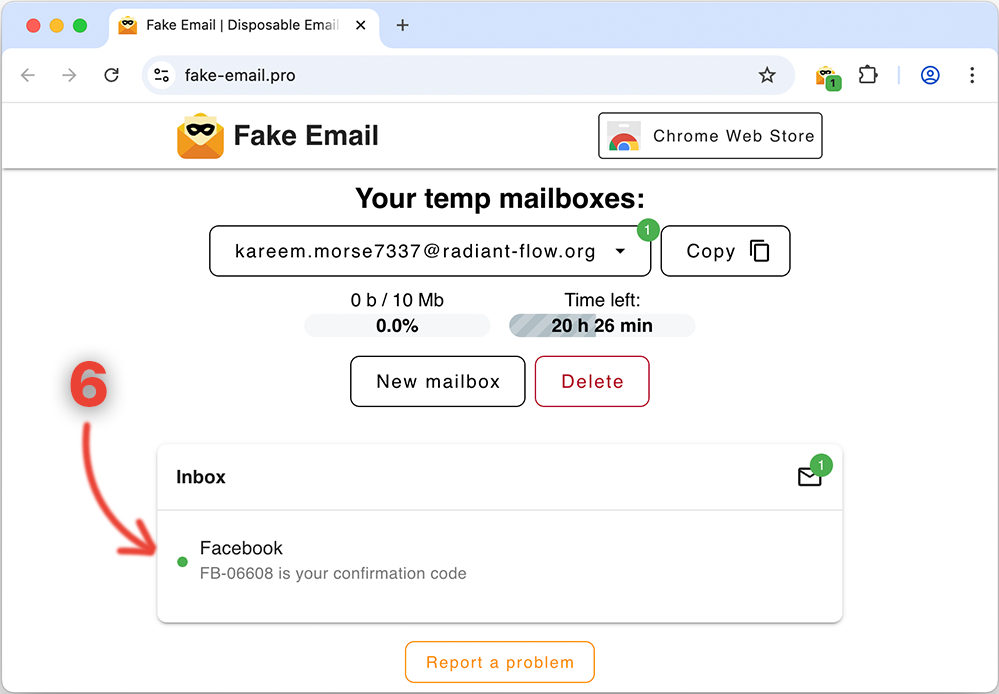
4. Read incoming messages in the Inbox
Every message to your temporary address is listed right there, with the sender and the subject – open one to read it in full.
The extension is published in the Chrome Web Store – the rating and the reviews are there.
Frequently asked questions
Is the extension free?
Yes. The extension is free, like the site itself: the temporary inbox, autofill and syncing with fake-email.pro cost nothing.
Does it work in Firefox or other browsers?
It is built for Chrome and for the Chromium browsers that install extensions from the Chrome Web Store – Edge, Brave, Opera, Vivaldi. There is no Firefox version.
What data does the extension store?
Locally, in your browser, only the sign-in mode, the session and the list of your mailbox addresses. Messages live on the fake-email.pro server, as they do for the site. Access to all sites is needed for autofill to find the email field on a page. The privacy policy is in the Chrome Web Store listing.
Do I need an account?
No. The extension works as a guest right after installation. Signing in with Google on the site links the same mailboxes to your account, in the popup and on the site alike.
How does autofill find the email field?
The extension looks at the field's name, id, placeholder and type: when one of them says «email», the envelope icon appears inside the field, and one click fills in the address of your current mailbox.